Komal Saim May 30, 2026


Komal Saim May 30, 2026
Even if you have a great product‚ great content‚ or a great SEO strategy in place‚ your website will never deliver the results you want if it loads slowly․
Web page speed influences the user experience‚ search engine rankings‚ conversions and sales․ Generally‚ users expect web pages to load in seconds or less‚ and leave if a page takes too long to load․ Even a one-second delay could ultimately affect engagement and lost sales․
Speed is another important factor․ Google's Core Web Vitals assess the speed and smoothness of web pages‚ and load time generally is a part of SEO․ Websites that load faster tend to rank better and keep users more actively engaged with the pages․
The good news is that there are website optimization techniques that businesses can implement to improve the speed of their site and provide a more reliable user experience that supports better SEO and higher revenue․
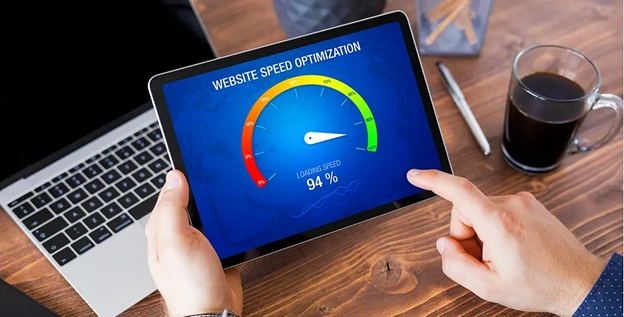
Images often account for the majority of a web page's overall file size․ High-resolution images can slow load times on mobile devices․ Effective image optimization techniques to alleviate this challenge include performing lossy compression‚ resizing‚ and utilizing modern file formats like WebP that reduce file sizes without sacrificing quality; consistently implementing these techniques will improve page speed and usability․
Static website elements such as images‚ CSS files‚ and JavaScript files can be cached in the user's browser or computer to accelerate the loading of a web page when it is revisited‚ as files do not need to be downloaded again․ Creating a proper cache policy can help lower server load and make a website faster․
Source code of websites is often larger than necessary because of whitespace‚ comments and formatting․ The minification process removes these elements‚ which improves file size‚ allowing webpages to load and process more quickly․ Smaller files reduce load time and improve file transmission performance․
A content delivery network (CDN) stores copies of your website on different servers located in various cities around the world․ If someone tries to visit your website‚ the CDN will deliver your site from the closest server․ This is done to reduce latency and the time it takes to load a website‚ improving the user experience to all visitors․
The web host you are using will also determine server performance․ A shared hosting plan will be slow when it is sharing server resources with other websites․ For faster server response time‚ an upgrade to VPS‚ cloud hosting or dedicated server hosting should be made to ensure the website performs optimally‚ even under heavy traffic․
Each page element requires a new HTTP request whether it is an image‚ a script‚ a stylesheet‚ or a font․ Therefore‚ more requests result in longer page load times․ Reducing the number of unnecessary files and HTTP requests‚ such as by combining CSS and JavaScript files‚ and removing unused elements‚ can improve loading time․
Most websites‚ especially those on large content management systems like WordPress‚ use plugins and third-party services․ When overused‚ these may obstruct page load time or cause performance concerns․ It is wise to regularly review your websites for superfluous plugins‚ widgets‚ tracking scripts‚ and other integrations to maintain a lean profile․
Other techniques to consider for performance improvements include the following:
They can also speed and improve the performance of a website․
Website speed is an important factor in search engine optimization․ Websites with faster loading speeds provide a better experience for users and result in lower bounce rates‚ longer session durations‚ and higher conversion rates․
Google's Core Web Vitals are a set of performance parameters related to loading‚ visual stability‚ and responsiveness of pages․ Pages with good Core Web Vitals are more likely to rank better and produce a better user experience․
If you are hiring SEO Services in Mumbai‚ WordPress SEO Services‚ or Local SEO Services‚ Speed Optimization should be a part of your SEO strategy․
Website speed is an important factor in website success because fast-loading websites offer better usability‚ better search engine optimization (SEO) and a better conversion rate․ By applying the seven optimization techniques described above‚ companies can overcome many of the challenges that obstruct website performance and create a better experience․
Speed testing your website is a continuing process․ Regularly checking up on your site's speed and updating as needed will ensure your website stays fast and competitive with modern user standards․
Copyright © 2026 All Rights Reserved By Arsh Infosystems.
Reviews On 
Years experience
Satisfied clients